How to make a PowerPoint presentation automatically
Automatic slides only help if the facts are right and you can still edit them. Here are the main ways to do it, what each is good for, and a checklist for whichever tool you use.
Start from content, not a blank slide
The fastest decks start from something that already exists: a report, a paper, meeting notes, a web page or a spreadsheet. A tool that reads your source can carry its numbers and figures onto the slides instead of guessing them, and you spend your time on the story rather than on copying.
The main ways to do it
Each approach suits a different situation:
- PowerPoint's own tools. Designer suggests layouts for the slide you are on, and Copilot in PowerPoint, included with some Microsoft 365 plans, can draft a presentation from a prompt or a file.
- AI presentation apps. Many web apps generate slides from a prompt in their own editor. Check how they export to PowerPoint: some turn slides or charts into pictures that you can no longer edit.
- A template and a few hours. A good template filled in by hand still gives the most control, at the cost of time.
- PPTNative. Upload a document, paste a link or give a topic, approve the outline, and download a native .pptx with real text, shapes, editable charts and your document's figures.
A checklist for any automatic deck
Open the file in PowerPoint before you trust it:
- Text sits in text boxes you can retype, not in pictures.
- Charts open with Edit Data, so numbers can change later.
- Figures are whole, not cropped, and say where they come from.
- Every number matches your source; nothing is invented to fill a gap.
- The fonts are installed on the computers that will open the deck.
- Speaker notes add what the slide does not say.
How it works
Give it your content
Upload a document, paste a link or describe a topic. Facts, numbers and figures come from your source.
Review the outline
In about a minute you get the slide plan. Retitle, rewrite, reorder, add or delete slides.
Download an editable deck
Every slide is drawn, checked and exported as a native .pptx. Open it in PowerPoint and change anything.
Decks made this way
Made by PPTNative and shown unedited, unless marked as finished by hand. Open one to see every slide or download the .pptx.
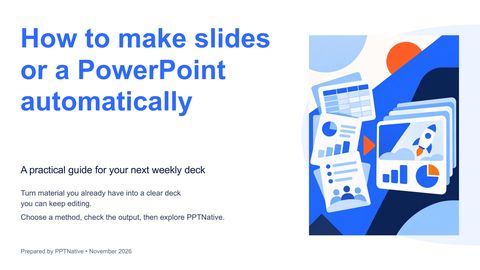 How to make slides or a PowerPoint automatically
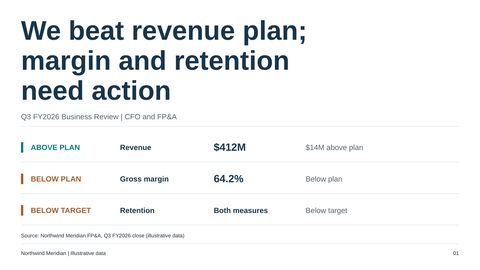 Quarterly business review: performance, drivers and decisions
 AlphaFold 3: a research briefing for biopharma R&D leaders
Questions
Can PowerPoint make slides automatically on its own?
Partly. Designer suggests layouts slide by slide, and Copilot in PowerPoint can draft a deck if your Microsoft 365 plan includes it.
Is an AI-made deck editable?
It depends on the tool. Open the file and click a chart: if Edit Data works and the text can be retyped, it is. Every PPTNative deck is.
Can it make Chinese decks?
Yes. PPTNative writes decks in English or Chinese, from sources in either language.
Is it free to try?
Yes. A new account gets 20 free credits, enough for a 10-slide deck on Balanced.
Make your next deck in minutes, then make it yours.
Start with 20 free credits. No card needed.
Start free